Duel Stick Figure Combat
Instructions:
Player 1 Move - Arrow Keys Shoot - L Key Player 2 Move - WASD Keys Shoot - F KeyDescription
Duel Stick Figure Combat Browser Game Analysis
Features
- Randomly falling weapons that force quick decisions about when and where to grab one.
- Moving platforms that add a real balance challenge on top of the core combat.
- Both single-player and local two-player modes for solo practice or head-to-head matches.
- A straightforward disarm-and-eliminate objective that keeps each round feeling fast and focused.
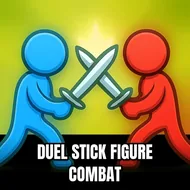
- A simple, colorful stickman art style that keeps the action easy to follow.
Racing an opponent to grab a freshly dropped weapon before they do adds a layer of urgency that a lot of straightforward stickman fighters lack, turning even a calm moment between engagements into a small, tense scramble. Balancing on the game's moving platforms while also tracking an opponent's position and any newly fallen weapons keeps attention split in a genuinely engaging way throughout a match.
Controller & Keyboard Guide
- Player one moves with the arrow keys and shoots using the L key.
- Player two moves with WASD and shoots using the F key.
- Grab a newly fallen weapon quickly before an opponent reaches it first.
- Keep moving on unstable platforms rather than standing still for too long.
That mix of weapon scrambles, balance challenges, and direct combat gives even a short match a surprising amount going on at once, and playing it with a friend on the same keyboard tends to bring out its best, most chaotic moments. The local two-player option in particular tends to bring out the best in this format, since watching a friend scramble for a falling weapon while trying not to lose their balance rarely fails to get a genuine reaction.